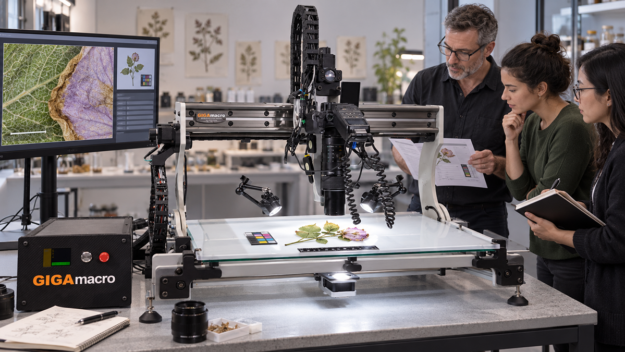
The Capture Brief: Decisions to Make Before the First Frame
Plan subject handling, optics, lighting, test capture, scale, rights, and Viewer metadata before starting a long Magnify2 imaging run.


Plan subject handling, optics, lighting, test capture, scale, rights, and Viewer metadata before starting a long Magnify2 imaging run.
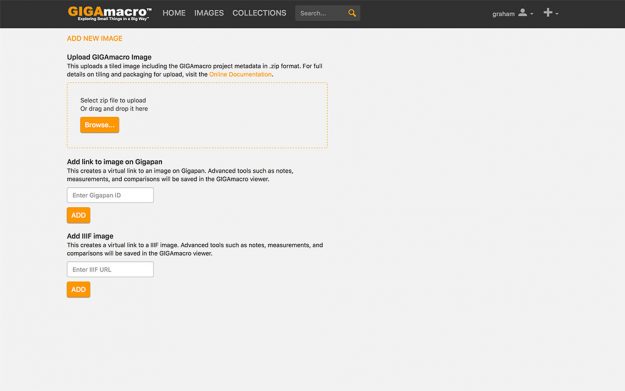
What’s Next for the GIGAmacro Viewer? The GIGAmacro Viewer is constantly updated to add new functionality and to fix any problems we find. See the list below! In talking to a number of users, we are hearing requests for “storytelling” features such as the ability to selectively display Features, to add Features in a sequence (like playing back…
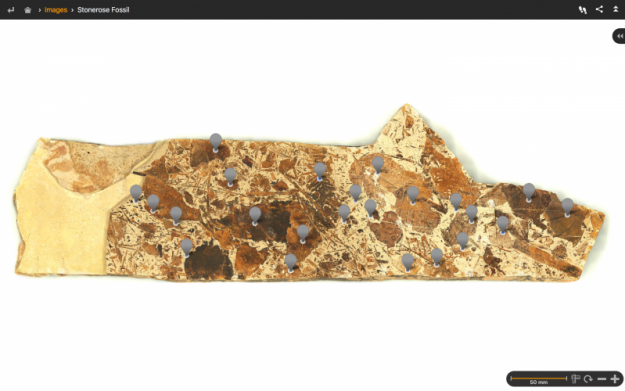
Here’s how to annotate your Gigapan images. Gigapan images have been popular for ten years or so, and the gigapan.org web site claims over 55,000 members. Many of GIGAmacro customers have legacy images on gigapan.org and wanted a way to additional functionality – such as annotations – to their legacy images. The GIGAmacro team spent a…
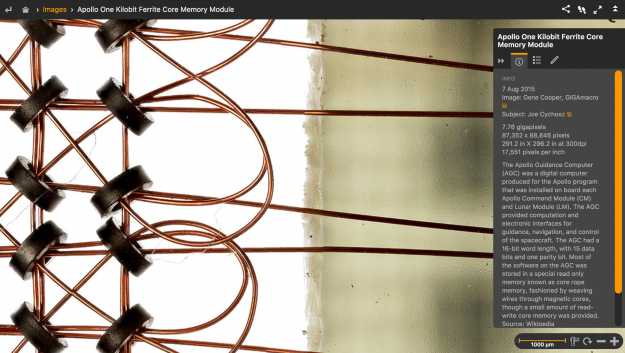
How to Make Gigapixel Macro Images The Overall Process The GIGAmacro images featured in the GIGAmacro Viewer are assembled from hundreds, or more often thousands, of individual photographs. To create a gigapixel image, we use a technique generally known as “Stack and Stitch”. Focus Stacking Focus stacking is a technique which combines multiple images…
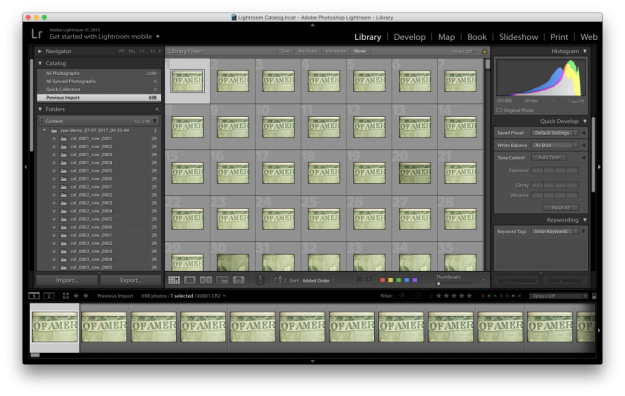
RAW Workflow for Gigapixel Macro Images For the vast majority of gigapixel macro imaging, jpg photos and 8-bit workflows are perfectly acceptable, and we ship the Magnify2 configured that way. But what when jpg doesn’t fit the bill? Sometimes we need a RAW workflow for gigapixel macro images. That’s what this blog article is about. First, some…
You can now store your Gigapixel Images for FREE, here’s how. With the release of the latest GIGAmacro Viewer, you can store gigapixel images free and share them, with a private group or with the world at large. To do this you will need to create a username and password and then follow the steps below to…