Skip to content
Green Island Rd, American Canyon, CA 94503+1 (415) 841-3322[email protected]9am - 5pm Pacific Time
Linkedin page opens in new windowYouTube page opens in new window
GIGAmacro
Exploring Small Things in a Big Way
GIGAmacroGIGAmacro
  • Use Cases
  • Products
    • Overview
    • GIGAmacro Magnify2
    • Backlighting Option
    • Batch Digitization Template Option
    • Cross Polarization Option
    • Light Diffuser Option
    • Nikon Toolmakers Lenses Option
    • Support & Maintenance Options
    • Magnify2 Hardware and Software 2026 Upgrades
    • GIGAmacro Viewer
    • Imaging Services
    • Rental Systems
    • Custom Builds
  • Gallery
  • Blog
  • Resources
    • Research & Citations
    • Magnify2 User Guides, Documentation and Settings
    • Free Computer Wallpaper High Resolution Insect Images
    • Maker Faire
  • Contact
  • About
Search:
Search
  • Use Cases
  • Products
    • Overview
    • GIGAmacro Magnify2
    • Backlighting Option
    • Batch Digitization Template Option
    • Cross Polarization Option
    • Light Diffuser Option
    • Nikon Toolmakers Lenses Option
    • Support & Maintenance Options
    • Magnify2 Hardware and Software 2026 Upgrades
    • GIGAmacro Viewer
    • Imaging Services
    • Rental Systems
    • Custom Builds
  • Gallery
  • Blog
  • Resources
    • Research & Citations
    • Magnify2 User Guides, Documentation and Settings
    • Free Computer Wallpaper High Resolution Insect Images
    • Maker Faire
  • Contact
  • About

Daily Archives: October 16, 2026

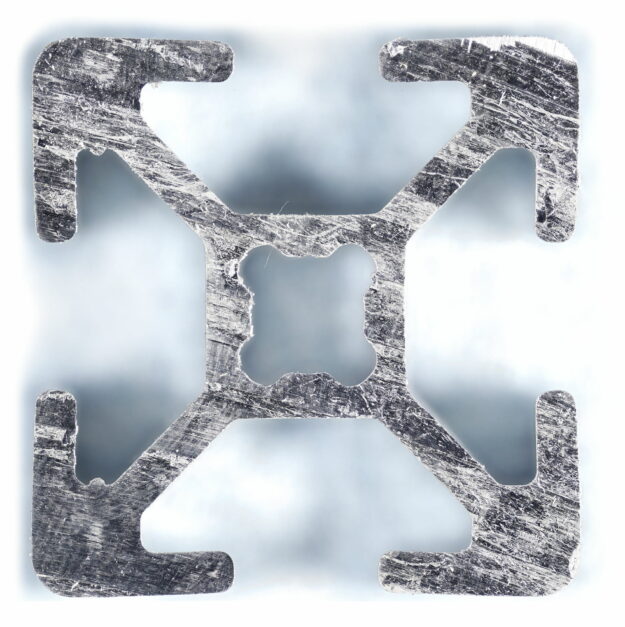
Gigapixel image of an aluminum 8020 2020 extrusion cross-section showing T-slot geometry for blog post " Set the Resolution"

Define the Need, Then Set the Resolution

Workflow, How To, Learn, TechniqueBy Graham BirdOctober 16, 2026

Pixel count, sampling, resolvable detail, and calibrated scale are different things. Define the decision first, then set the resolution to match.


Terms of Service / Privacy Policy
Copyright © 2010 - 2026 GIGAmacro | Four Chambers Studio

Go to Top